



Reduce Image Size for Social Media Post
“Reduce image size for social media post instantly with our fast and free online compression tool designed to maintain quality while shrinking file size.”
Advanced Multi-Image Compressor
Optimize multiple images simultaneously for web without losing quality
Drag & drop your images here or click to browse
Supported formats: JPG, JPEG, PNG, WebP, GIF (Multiple files supported)
How to Use
Upload an image by dragging and dropping or using the file browser
Adjust the compression level using the slider (10-90%)
Select your desired output format
Click “Compress Image” to process the image
Review the results and download the compressed image
Key Features
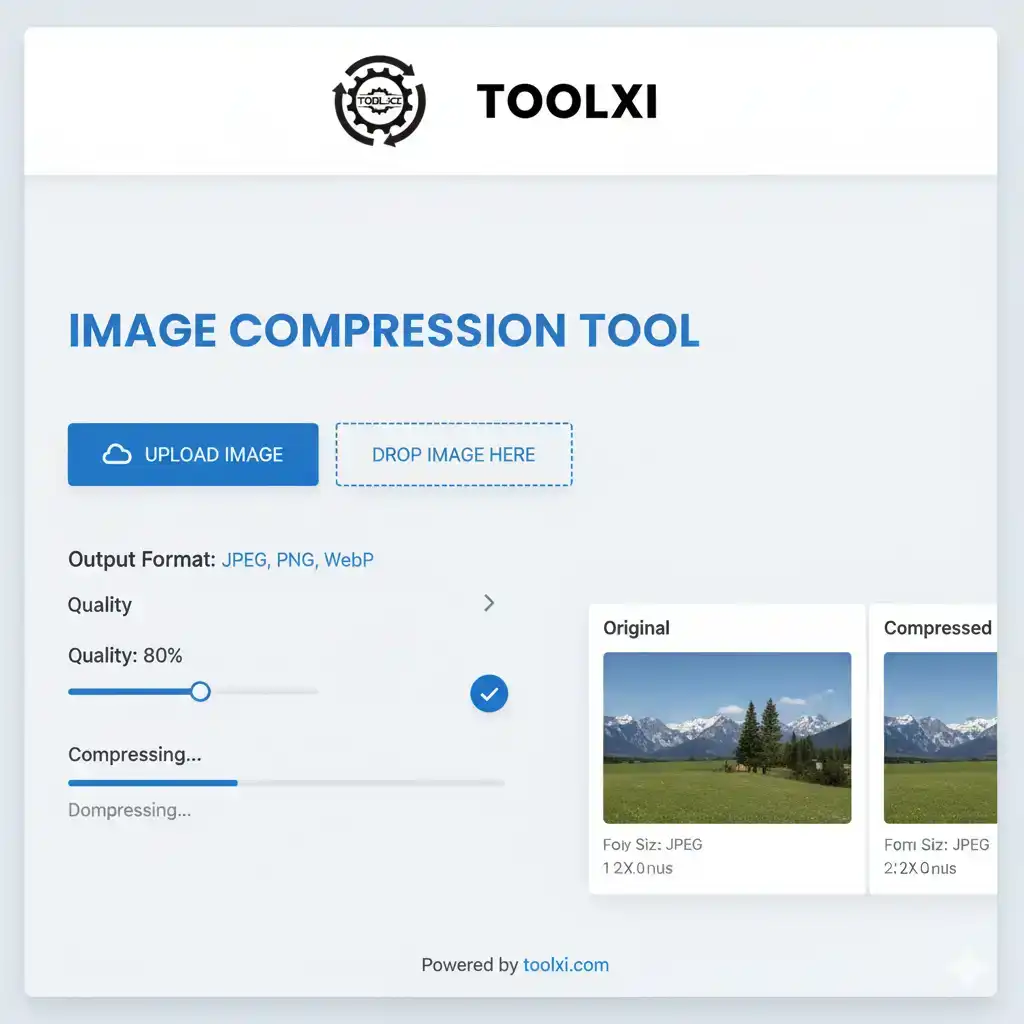
Adjustable Compression Level: Slider from 10% to 90% compression
Multiple Output Formats: Options to download in JPEG, PNG, WebP, or original format
Real-time Preview: Side-by-side comparison of original and compressed images
Compression Statistics: Shows file sizes and reduction percentage
Visual Feedback: Progress bar and compression results display
User-friendly Interface: Clean, modern design with intuitive controls
Client-side Processing: All compression happens in the browser for privacy
Reduce Image Size for Social Media Post – Fast, Free & High Quality
Creating content for social media is fun, but uploading large images can be frustrating. Slow uploads, blurry previews, and rejected file sizes can ruin your post. That’s why you need a simple tool to reduce image size for social media post without losing quality. Toolxi’s free online image compressor makes this fast, easy, and beginner-friendly.
Toolxi helps creators, marketers, students, and businesses optimize their images for every platform — Instagram, Facebook, Pinterest, YouTube, LinkedIn, and more.
Reduce Image Size for Facebook Cover Photo (Beginner-Friendly Guide)
Facebook cover images require specific dimensions and light file sizes. A heavy image loads slowly and ruins the impression on both desktop and mobile.
With Toolxi, you can:
Compress large JPG or PNG cover photos
Maintain clear quality
Fit Facebook’s recommended layout
For best results, resize your cover photo according to Facebook guidelines. You can also check image basics at W3Schools :
👉 https://www.w3schools.com/html/html_images.asp
Resize Image for LinkedIn Banner With Perfect Clarity
LinkedIn banners must look professional. A blurred banner can hurt your brand impression. Toolxi’s compressor ensures your images stay sharp while reducing the size drastically. You can quickly resize and compress your banner for:
Personal LinkedIn profile
Company pages
LinkedIn events
Toolxi keeps text and logos clear, even after compression.
Compress Photo for Pinterest Board Pins
Pinterest prefers vertical pins with fast loading. If your image is too large, Pinterest may downgrade your pin quality or reduce reach. Toolxi helps you compress:
Infographics
Portrait pins
Product photos
Travel photos
Your pins load faster and perform better in searches.
Free Social Media Image Optimizer for All Platforms
Toolxi is an all-in-one free social media image optimizer. It helps you:
Reduce file size
Keep image quality crisp
Improve upload speed
Increase engagement with faster visuals
Try additional tools on Toolxi for better performance:
✔ Circle Crop Image → https://toolxi.com/circle-crop-image/
✔ Image Compression Tool → https://toolxi.com/image-compressor/
✔ Age Difference Calculator → https://toolxi.com/age-difference-calculator-2025/
Compress Photo for Passport Size (Instant & Accurate)
Passport photo uploads often fail due to file size restrictions. Toolxi solves this by giving you a quick way to compress passport-size photos while keeping face clarity intact. Perfect for:
Online applications
Visa forms
College forms
ID uploads
Why Reducing Image Size Matters for Social Media
Faster uploads
Better reach
Clear previews
Mobile-friendly posts
Lower bounce rate
Higher engagement
Improved brand look
How Toolxi Compressor Maintains Quality
Toolxi uses smart compression that reduces unnecessary data while keeping essential visual details intact. You get a lightweight image that still looks perfect on every device.
Long-Tail Benefits of Image Compression
Improves page load speed
Helps with SEO
Prevents pixelation
Increases click-through rate
Saves storage space
Start Reducing Image Size for Social Media Post Today
Toolxi works instantly — no login, no watermarks, no installations. Just upload your photo, compress it, and download in seconds.
Frequently Asked Questions (FAQ)
Q1: What is the ideal image size for social media? There is no single “ideal” size. Each platform has its own recommended dimensions and aspect ratios. The best practice is to reduce image size for social media post to the specific dimensions of the platform you are using, such as 1080×1080 pixels for a square Instagram post or 1200×628 pixels for a Facebook link post.
Q2: What’s the difference between resizing and compressing an image? Resizing changes the dimensions of the image (e.g., from 5000×3000 to 1080×1080 pixels). Compressing reduces the file size (e.g., from 5MB to 200KB) without necessarily changing the dimensions. Both are crucial steps to reduce image size for social media post effectively.
Q3: Will compressing my images make them look bad? Not if you use a quality tool like the TOLXI.COM Image Compressor. Our tool is designed to use intelligent algorithms that drastically reduce image size for social media post while preserving visual quality. The difference in quality between the compressed image and the original is often unnoticeable to the human eye.
Q4: How can I reduce image size for a Facebook cover photo? To reduce image size for a Facebook cover photo, you should first resize it to the recommended desktop dimensions of 851×315 pixels. Then, use an image compression tool to further compress the photo to a small file size, ideally under 100KB, to ensure it loads instantly.
Q5: What’s the best way to resize image for LinkedIn banner? The recommended size for a LinkedIn banner is 1584×396 pixels. Use an image editing tool to resize your image to these exact dimensions and then use a compressor to reduce image size before uploading.
Q6: How do I compress a photo for passport size? A passport photo requires specific dimensions and a small file size. First, crop and resize the photo to the required dimensions (e.g., 2×2 inches or 51×51 mm). Then, use a tool to compress photo for passport size to meet the file size requirements, which are often in the range of 50KB to 100KB.
Q7: Can I use one tool for all my image compression needs? Yes! A versatile tool like the TOLXI.COM Image Compressor can handle various file types and compression needs, making it a one-stop solution for optimizing images across all social media platforms and for other uses, like a photo for a passport size or a Pinterest board.