How to Generate QR Code for Website – Free, Online, Instant & No Loss
QR Code Generator
Create professional and mobile-friendly QR codes instantly
Your QR code will appear here
100% Free • Secure Processing • No Signup Required • No Data Stored
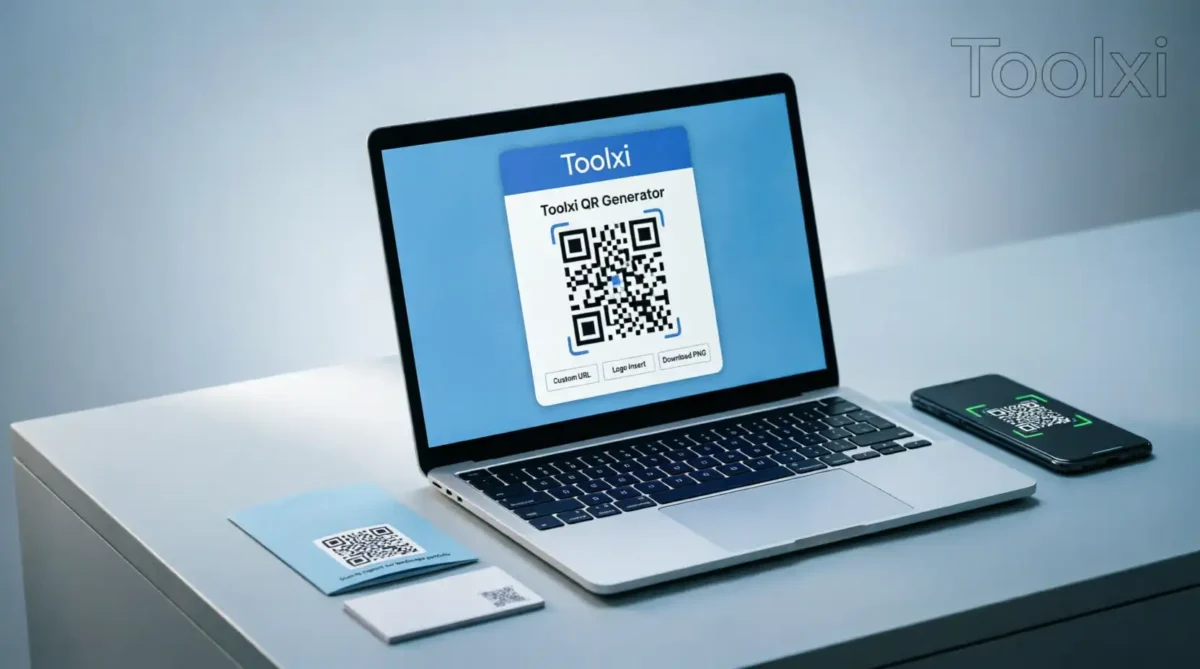
Struggling to share your website link quickly? Tired of typing long URLs or dealing with complicated tools? You’re not alone. Many beginners and professionals waste time searching for a simple way to how to generate qr code for website that actually works. Good news: with Toolxi’s free QR code generator, you can create a scannable, custom QR code in seconds—no signup, no watermark, no hassle. Just paste your URL, customize, and download. Let’s walk through exactly how to do it.
How to Generate a QR Code for a Website: 6 Simple Steps
- Open Toolxi QR Generator
Go to Toolxi.com and navigate to the QR Code Generator tool. - Paste Your Website URL
Copy your full website address (e.g.,https://toolxi..com) and paste it into the input field. - Customize Your Design (Optional)
Choose colors, add your logo, or pick a frame to match your brand. Keep it simple for best scan results. - Preview Before Downloading
Scan the preview with your phone to ensure it redirects correctly to your site. - Download in Your Preferred Format
Get your QR code as PNG, SVG, or PDF—high resolution and print-ready. - Use It Anywhere
Add it to business cards, posters, social media, or product packaging. Done!
Key Features That Deliver Real Value
- ✅ Truly Free Forever – No hidden fees, no premium upsells. Generate unlimited QR codes at zero cost.
- ✅ No Watermark, No Branding – Your QR code stays clean and professional, ready for business use.
- ✅ Instant Generation – Get your scannable code in under 10 seconds. No waiting, no delays.
- ✅ Privacy-First Design – We don't store your URLs or scan data. Your information stays yours.
- ✅ High-Resolution Downloads – Export in PNG, SVG, or PDF for crisp printing on any material.
- ✅ Mobile-Optimized Preview – Test your QR code instantly on your phone before downloading.
- ✅ Dynamic Link Support – Update the destination URL later without reprinting (Pro feature).
- ✅ Bulk Generation Ready – Create multiple codes for campaigns, events, or client projects.
The 4 Mistakes That Kill QR Code Performance (And How to Avoid Them)
I’ve made these. You probably have too. Let’s fix them.
❌ Mistake 1: Using a low-contrast color scheme
White code on light gray background? Looks sleek — until no phone can read it.
✅ Fix: Dark on light, or light on dark. High contrast = instant scans.
❌ Mistake 2: Generating a code for the wrong URL
Typos happen. http:// instead of https://, missing a slash, extra space at the end.
✅ Fix: Copy-paste your URL directly from your browser’s address bar. Then test. Twice.
❌ Mistake 3: Placing QR codes on reflective or curved surfaces
Glass, metal, or a bent flyer? Light glare or distortion can break the scan.
✅ Fix: Use matte finishes and flat surfaces. If you must print on glass, add a non-reflective backing behind the code.
❌ Mistake 4: Forgetting to update dynamic links
If you use a dynamic QR code (one you can edit later), and your site URL changes… but you forget to update the destination? Dead link = lost trust.
✅ Fix: Set a calendar reminder to audit your QR destinations quarterly. Or stick with static codes for permanent links (like your homepage).
Real-World Use Cases: Where to Use Your Website QR Code
Add a QR code to your card so contacts can visit your portfolio or LinkedIn with one scan—no typing errors.
Let customers scan to view your online menu, product catalog, or special offers instantly.
Drive ticket sales or RSVPs by linking event flyers directly to your registration page.
Place a QR code in your Instagram bio or YouTube description to boost website traffic from mobile users.
Connect physical products to digital experiences: tutorials, warranty registration, or customer support.
Enable potential buyers to scan a “For Sale” sign and instantly view property details online.
Why Choose Toolxi Over Other QR Generators?
| Feature | Toolxi | Other Free Tools |
| No Watermark | ✅ Yes | ❌ Often added |
| No Signup Required | ✅ Instant access | ❌ Email required |
| Data Privacy | ✅ Zero storage | ❌ May track scans |
| Download Formats | ✅ PNG, SVG, PDF | ❌ PNG only |
| Customization | ✅ Colors, logo, frames | ❌ Limited options |
| Speed | ✅ <10 seconds | ❌ Ads & delays |
Toolxi is built for people who value simplicity, speed, and security. Unlike many “free” generators that slap logos on your code or harvest your data, we keep it clean, private, and truly free. Plus, our tool is optimized for beginners but powerful enough for marketing pros.
Expert Tips to Maximize QR Code Performance
Keep the Center Clear – If adding a logo, ensure it doesn’t cover more than 30% of the code to maintain scan reliability.
Use High Contrast Colors – Dark code on light background (or vice versa) ensures phones can read it instantly.
Test Before Printing – Always scan your QR code with multiple devices (iOS, Android) before mass production.
Add a Call-to-Action – Place text like “Scan to Visit Our Site” near the code to boost user engagement.
Track with UTM Parameters – Append ?utm_source=qr to your URL to measure traffic from QR scans in Google Analytics.
Before vs After: Your QR Code Journey
Before Toolxi:
- ❌ Searching "how to generate a qr code for website" leads to ad-filled sites
- ❌ Forced to create an account just to download a basic code
- ❌ Watermarked QR codes that look unprofessional
- ❌ Worrying if your link or data is being stored
After Toolxi:
- ✅ Paste URL → Get clean, custom QR code in seconds
- ✅ Download instantly—no email, no payment, no watermark
- ✅ Use confidently on print, digital, or merchandise
- ✅ Peace of mind: zero data collection, secure processing
FAQs: Your Questions, Answered
Explore More Free Tools on Toolxi
Love saving time? Check out these related tools:
→ PNG to JPG Converter – Convert images instantly, no quality loss